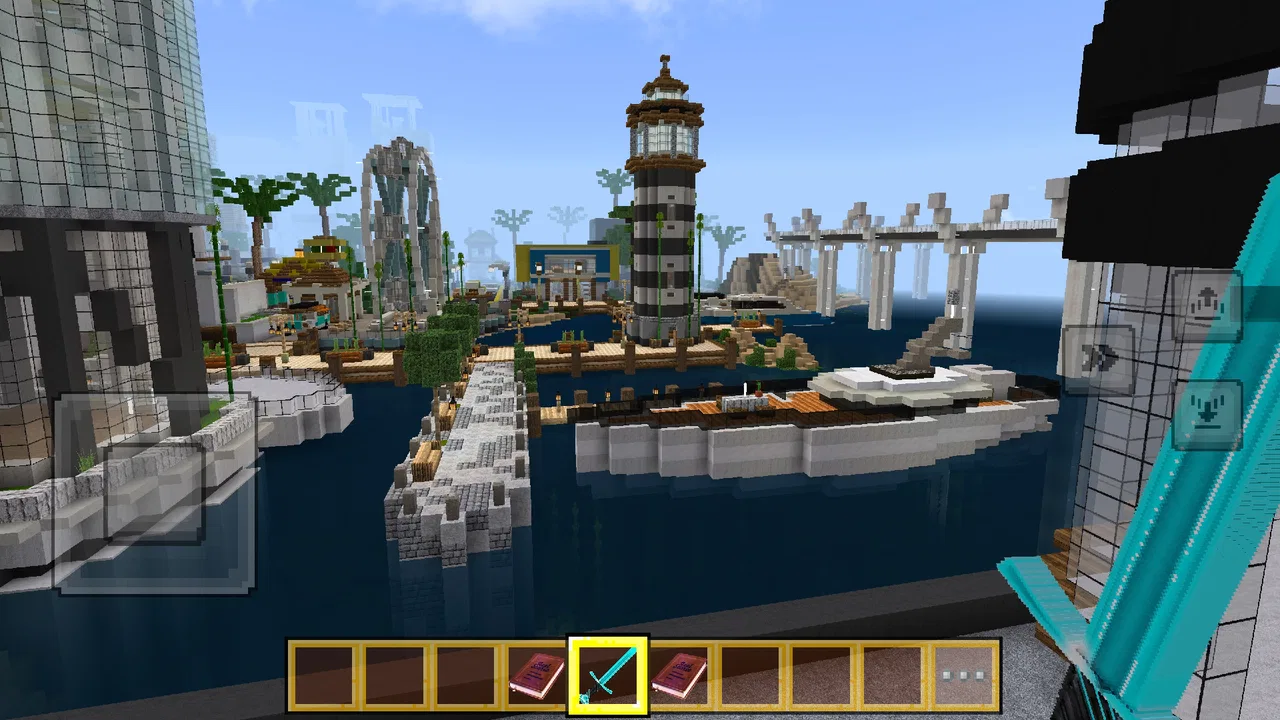
DreamCraft City
- 3.5
- Rating
- 1.00M
- Installs
- Free
- Price

 Analysis by App-foxy
I approached DreamCraft City as a relaxed city-building game rather than a serious management simulator, and that expectation made a big difference. Its central appeal is easy to understand: you place magical blocks, shape a town, and gradually turn an empty space into something that feels like your own. The game is free, rated for Everyone, and belongs to the simulation category, but its tone is much more creative and casual than analytical. I found myself caring less about perfect efficiency and more about whether a street, open area, or group of buildings looked inviting.
That makes it a comfortable choice for players who enjoy arranging things, experimenting with layouts, and making visible progress in short sessions. It is also approachable enough for younger players, although adults who want deep economic planning should keep their expectations measured. The game has reached over a million installs, while its average score sits at around three and a half stars from roughly three thousand six hundred ratings. To me, that combination suggests a game with a clear audience but also some rough edges that are worth understanding before you commit time to it.
How I built a city without getting lost
My basic routine was simple. I started by looking at the available space instead of immediately placing everything I could. That small pause helped me avoid creating a crowded first neighborhood that would later be difficult to reorganize. I treated the opening area as a test district: a place to learn the visual language of the blocks, see how pieces fit together, and decide whether I preferred compact streets or more open arrangements.
You May Also Like

 Blood Strike: 2.5 Anniversary
Blood Strike’s Loadouts Turn Every Drop Into a Tactical Gamble
A close look at Blood Strike’s custom loadouts: how fast access to signature weapons reshapes its battle royale rhythm, rewards preparation, and narrows the gap between fights.

 Pandora - Music & Podcasts
Pandora’s Music Is Easy to Start, but Harder to Recover
Pandora’s strength is its low-effort path from a seed to a station. Its weak spot is how much confidence it asks you to place in connection, setup, and quiet recovery.

 8 Ball Pool
 Is Built on Rivalries, Rematches, and Routine
A close look at the rivalries, rematches, shared routines, and unanswered safety questions that turn a quick pool match into a persistent mobile community.

 Samsung Music
’s Quiet Strength Is Playing What You Already Own
Its reach comes less from spectacle than from dependable access to a personal library. That simplicity is both the app’s strongest retention engine and its ceiling.

 AccuWeather: Weather Radar
AccuWeather Review: A Quick, Clear Forecast for Everyday Decisions
For everyday plans, the best forecast is the one you can understand quickly. AccuWeather makes rain timing, radar, and local conditions easy to act on, with a few trade-offs.

 Hill Climb Racing
Why Hill Climb Racing Still Turns Crashes Into One More Run
A tiny car, a bumpy hill and one more upgrade: Hill Climb Racing keeps resurfacing because its simple chaos makes every near-miss feel personal.
More From Our News Desk



The most satisfying part of the baseline workflow is the immediate visual feedback. A single block may not seem important, but several compatible pieces can quickly create the impression of a real district. I recommend building in small clusters rather than scattering individual objects across the map. A cluster gives you a clearer sense of direction and makes later additions feel intentional, even when you are still experimenting.
I also found it useful to separate functional thinking from decorative thinking. First, I made a rough route through the area and left breathing room around it. Then I filled the surrounding spaces with buildings and visual details. This approach is less frustrating than trying to make every placement perfect from the beginning. If you constantly adjust each block while the city is still empty, the game can feel slower than it really is.
A realistic everyday use case is a short evening session after work or school. You can open the game, improve one small neighborhood, and stop once that section feels complete. That is where the casual simulation format works best. It does not demand that I treat every visit as a major campaign. I can make a modest change, enjoy the result, and return later with a fresh idea.
For children, the same workflow can become a creative exercise. They can try building a central area, a quiet residential corner, or a strange arrangement made entirely for fun. Since the content rating is Everyone, the presentation is suitable for a broad audience. Still, I would not describe it as a teaching tool or a detailed urban-planning simulator. Its value is in accessible creation, not in reproducing the responsibilities of running a real city.
What I checked before committing to a layout
One habit saved me from unnecessary rebuilding: I looked at the shape of the empty spaces before placing large pieces. A dramatic building can become an awkward obstacle if it is dropped in the middle of the only area that could have supported a wider district. Leaving a few flexible gaps gives you room to respond when a later idea does not fit the original plan.
I also used visual landmarks. Rather than trying to remember every placement, I created one recognizable center and built outward from it. This makes the city easier to read at a glance and helps when you return after a break. A city that has no visual hierarchy can feel messy even when every individual block looks attractive.
Another useful choice was accepting imperfect symmetry. I initially wanted matching sides around my main route, but that made the layout feel rigid. Slightly uneven neighborhoods looked more natural and gave me more freedom. Players who enjoy neat patterns may prefer symmetry, but players who want a more organic city should avoid treating every empty space as something that needs to be mirrored.
Settings and habits that reduce friction
I would begin by checking the game’s available settings before spending much time building. The most important practical question is how comfortable the controls feel on your device. City-building depends on accurate placement, so a player who rushes past control options may blame the layout system for a problem that is really caused by an uncomfortable interaction style. I prefer to make a few test placements first, then adjust my approach rather than forcing a complicated design immediately.
It is also worth checking visual and audio preferences before a long session. A calm building game works better when the presentation is comfortable for your eyes and the sound is not distracting. I do not treat these options as cosmetic details: they influence how long I can concentrate on arranging a district. If you are playing on a smaller phone, zooming or positioning the device in a way that keeps the whole work area visible can be more valuable than chasing elaborate designs.
Because the current version is 1.52.5-build and the game supports Android 7.0 or later, device compatibility is reasonably broad. Even so, I would keep the application updated through the normal store process and restart it if the interface begins to feel sluggish or unresponsive. That is basic maintenance, but it matters more in a placement game than in an app where a missed touch has little consequence.
My strongest settings-related advice is to avoid changing several things at once. If you alter controls, sound, and visual preferences together, it becomes difficult to tell which change improved the experience. I tested one adjustment at a time, played long enough to make a few placements, and kept only the changes that made building feel more natural. This is a small habit, but it turns trial and error into a repeatable routine.
I would also recommend creating a personal stopping point. Since the game is free, it is easy to keep returning whenever you have a spare moment, but endless tweaking can make a relaxing activity feel like a chore. I usually stop after finishing one coherent section rather than continuing until the entire city looks complete. That leaves me with a clear next step and prevents the session from becoming a search for flaws.
Faster building patterns that actually help
The fastest pattern I found was to work from large shapes to small corrections. I placed the main route or broad district concept first, then added supporting blocks, and only afterward worried about visual balance. Reversing that order creates a lot of rework because small decorative decisions can block the larger structure. This is especially important for new players who are tempted to place the most interesting piece immediately.
I used a three-pass method. In the first pass, I made a rough skeleton with generous empty areas. In the second, I filled the most obvious gaps and checked whether the city still had readable paths. In the third, I made selective changes instead of rebuilding everything. The advantage is psychological as much as practical: each pass has a clear purpose, so I was less likely to make random changes that did not improve the result.
Another efficient habit is to group similar visual ideas. If you want a lively central area, develop it in one session instead of placing one matching block and then moving to an unrelated corner. Grouping helps you judge whether the theme is working while the idea is still fresh. It also makes the city feel more deliberate without requiring a complicated planning system.
I found that empty space should be treated as an active design choice. New players often see unused ground as wasted potential, but open areas can make a district easier to understand. They create contrast around important buildings and give the city a less cramped appearance. The trade-off is that a sparse layout may feel unfinished if the open space has no visual purpose, so I tried to frame it with nearby structures rather than leaving random gaps everywhere.
When I wanted to experiment, I tested unusual arrangements at the edge of the city rather than in the center. This protected the part I already liked and gave me a low-pressure place to try new combinations. It is a practical compromise between creativity and preservation. If the experiment worked, I could extend it inward; if it failed, it did not damage the city’s main identity.
Players who usually choose management-heavy alternatives should notice the difference here. Traditional city simulators often reward balancing budgets, services, traffic, or population needs. In this game, the more immediate reward is visual authorship. You are shaping a personal scene rather than solving a constantly escalating urban problem. That makes it easier to pick up, but it also means players looking for complex systems may find the experience too light.
Where the creative approach reaches its limits
The same simplicity that makes the game welcoming can limit long-term depth. If your favorite part of a simulation is responding to shortages, optimizing production, or managing several competing systems, magical blocks and visual arrangement may not provide enough pressure. I enjoyed the freedom, but I would not replace a detailed city-management game with this one if strategic complexity is my main reason for playing.
There is also a risk of repetition once you have discovered your preferred layout style. Players who naturally build compact, symmetrical towns may keep making variations of the same design unless they deliberately impose new challenges. I created rules for myself, such as leaving a wider central space or building a district around an unusual shape, because self-directed constraints made the process more interesting.
Another limitation is that a creative game depends heavily on the player’s willingness to imagine a purpose for the space. If you need constant objectives, explicit missions, or strong progression guidance, an open-ended building session may feel directionless. I would recommend starting with a concrete personal goal, such as making a welcoming entrance or designing a distinct neighborhood, rather than waiting for the game to tell you exactly what to do.
The free price makes experimentation easy, but it does not automatically make the game right for everyone. A free download is useful when you want a low-risk creative activity, especially if you are sharing the device with a younger player. It is less persuasive if you are searching for a deep, long-form simulation with carefully tuned management mechanics. In that situation, a more specialized alternative may offer better value even if its learning curve is steeper.
I would also skip it if your main requirement is competitive play or social pressure. My enjoyment came from quietly refining a personal city, not from comparing performance. The experience suits players who like ownership and visual progress more than players who need leaderboards, intense challenges, or a strong multiplayer purpose.
Who will get the most from it
DreamCraft City is a good fit for creative players who want a gentle simulation they can understand quickly. It works particularly well for people who enjoy arranging spaces, testing different patterns, and returning to improve a design without having to remember a complicated economy. Families may also appreciate the Everyone rating and the approachable premise, although younger users may still benefit from guidance when learning the controls and deciding how to plan a larger area.
It is less suitable for someone who wants realistic urban planning. The magical theme and block-based construction are central to its identity, so the game is not trying to reproduce the compromises of a real municipality. That is not a flaw by itself; it simply defines the kind of satisfaction you should expect. I felt successful when a district looked coherent, not when I had solved a difficult logistical puzzle.
For experienced simulation players, the best way to approach it is as a design sandbox between heavier games. I would not ask it to replace a complex city builder. Instead, I would use it when I want the pleasing part of construction without the stress of constant maintenance. That role gives the game a clearer purpose and makes its lighter systems feel intentional rather than incomplete.
My repeatable routine for better results
When I return to a city, I first spend a moment looking at it without touching anything. I identify the one area that feels weakest and choose a single improvement. This prevents the common mistake of moving blocks everywhere at once. Small, targeted revisions are easier to judge and usually produce a more noticeable improvement than a complete redesign.
Next, I check whether the main visual route is still clear. If buildings have gradually crowded the important spaces, I remove or reposition the least useful pieces before adding anything new. This is a more advanced habit because it requires giving up a block you may like individually for the sake of the whole city. In my experience, that trade-off is often worth it.
After that, I add one new idea at a time. I might create a distinct corner, open a view around a landmark, or continue a pattern from an existing district. Limiting the session to one theme keeps the result readable. It also makes it easier to remember what changed when I come back later.
Finally, I stop when the chosen area feels complete enough, not when every possible space is filled. This is the habit that most improved my enjoyment. The game rewards imagination, but imagination needs room. A city that remains slightly unfinished can be more inviting than one packed so tightly that there is nowhere left to experiment.
My verdict after settling into the city
DreamCraft City is a friendly, free simulation game built around visual creation rather than demanding management. The developer, funtab999, has positioned it as an accessible block-building experience, and that identity comes through clearly in the way I played it. Its broad device support, Everyone content rating, and simple creative premise make it easy to recommend as a low-pressure option for casual players.
My recommendation comes with a clear condition: choose it for making and arranging, not for running a complex urban machine. I liked the freedom to build in my own rhythm, and the three-pass workflow gave me enough structure to keep improving without turning the game into work. The limitations became more noticeable when I wanted deeper objectives or stronger strategic consequences.
With an average rating of about three and a half stars and more than a million installs, it has attracted a substantial audience while leaving room for mixed reactions. My own view lands in the middle but leans positive. I would suggest trying it if you want a calm creative break, especially when a short session and a visible result sound better than a demanding campaign.
The best way to enjoy it is to treat each district as a small design project. Plan the broad shape, keep controls comfortable, use open space deliberately, and resist the urge to fill every gap immediately. If that sounds satisfying, this game can become a pleasant little city workshop. If you need detailed economics, competitive goals, or constant strategic tension, I would look toward a heavier simulation instead.
FAQs for DreamCraft City
01What is DreamCraft City, and how does it work?
DreamCraft City is a sandbox simulation game where players can build, explore, and manage their own virtual city. With a user-friendly interface, it allows players to construct buildings, manage resources, and interact with other players’ cities. The game offers a blend of creativity and strategy, providing numerous customization options and challenges.
02Is DreamCraft City free to play, and are there in-app purchases?
DreamCraft City is free to download and play. However, it offers in-app purchases for virtual currency and special building packs. These purchases can enhance the gaming experience by speeding up progress or unlocking exclusive content, but they are optional and not necessary to enjoy the full game.
03What are the system requirements for DreamCraft City?
DreamCraft City requires Android 6.0 or iOS 11.0 and later versions. It is optimized for both smartphones and tablets, ensuring smooth gameplay on a range of devices. For the best experience, ensure your device has a stable internet connection and sufficient storage for updates and additional content.
04Can I play DreamCraft City offline?
DreamCraft City primarily requires an internet connection to access all features, including multiplayer interactions and real-time updates. While some aspects of the game can be played offline, the full experience, including social features and events, is best enjoyed online.
05How does DreamCraft City handle user privacy and data?
DreamCraft City is committed to user privacy, adhering to strict data protection regulations. The app collects minimal personal data necessary for gameplay, such as login information and gameplay statistics. Users can find detailed information in the app’s privacy policy, which outlines data usage, storage, and user rights.
Pros
- Intuitive user interface for easy navigation.
- Diverse customization options for characters.
- Engaging multiplayer features enhance gameplay.
- Regular updates with new content and events.
- Offline mode available for solo play.
Cons
- Occasional lag in high-traffic areas.
- In-app purchases can be pricey.
- Some features locked behind paywalls.
- Battery drainage can be significant.
- Limited support for older devices.

DreamCraft City
Gallery